Showing posts with label evaluations. Show all posts

Thursday, 10 December 2015

A2 Evaluations - How to jazz up your blog...


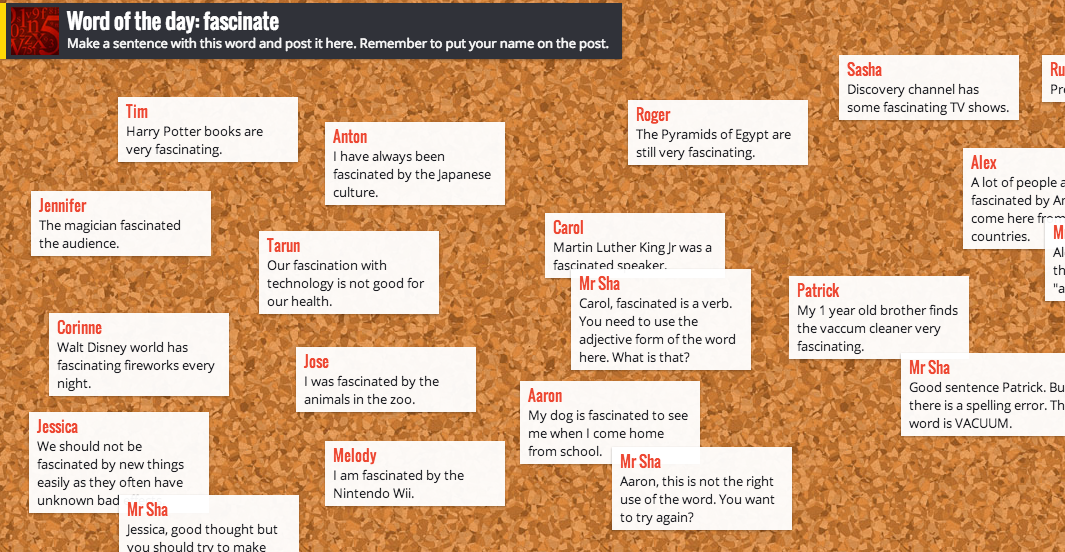
1. Padlet: this app allows you to put together a 'wall' of stuff. It looks a bit like Pinterest but is probably best used as a way of everyone in class putting up their ideas on a whiteboard, so it becomes like a 'live team wall' for sharing ideas and work done. Here's an example from a lower school english lesson:


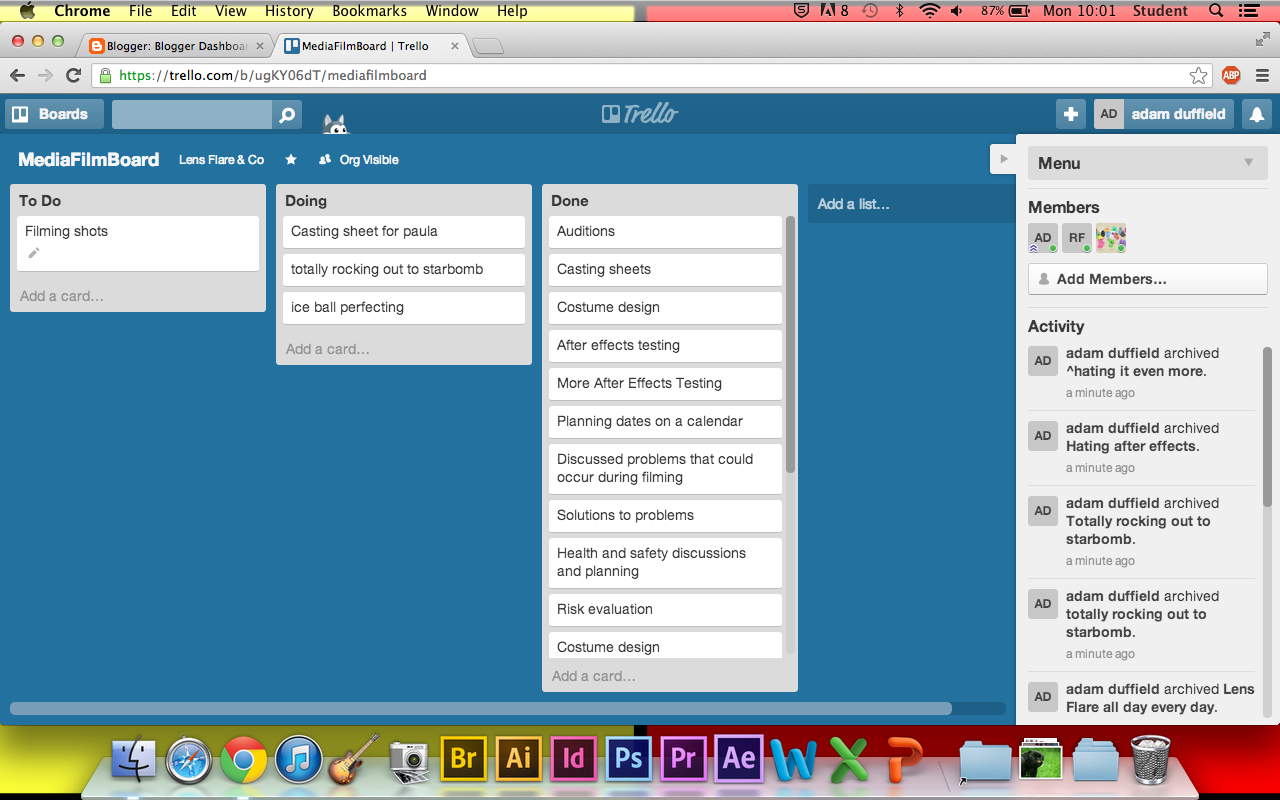
2. Trello: this is effectively a 'digital to do list' and is ideal for long term group projects like coursework. You can organise things into three columns, for example, with 'to do', 'doing' and 'done' and gradually tasks shift to the third column, giving a sense of completion. Here's one from a diploma project:


3. Piktochart is an excellent tool for making infographics, which can look pretty good and express your information in really clear, visual terms. When you login, it even has fellow members online to help you with problems!

Or try infogr.am


4. Simplebooklet allows you to create attractive booklets from otherwise dull material and stick them online. It is a bit like templates for desktop publishing, but can certainly liven up your material:


5. Animoto: You may be familiar with this video editor, but if not, give it a try. It allows you to make up to 30 second videos out of stills, so is ideal for presenting bits of research as slightly more sophisticated slideshows.


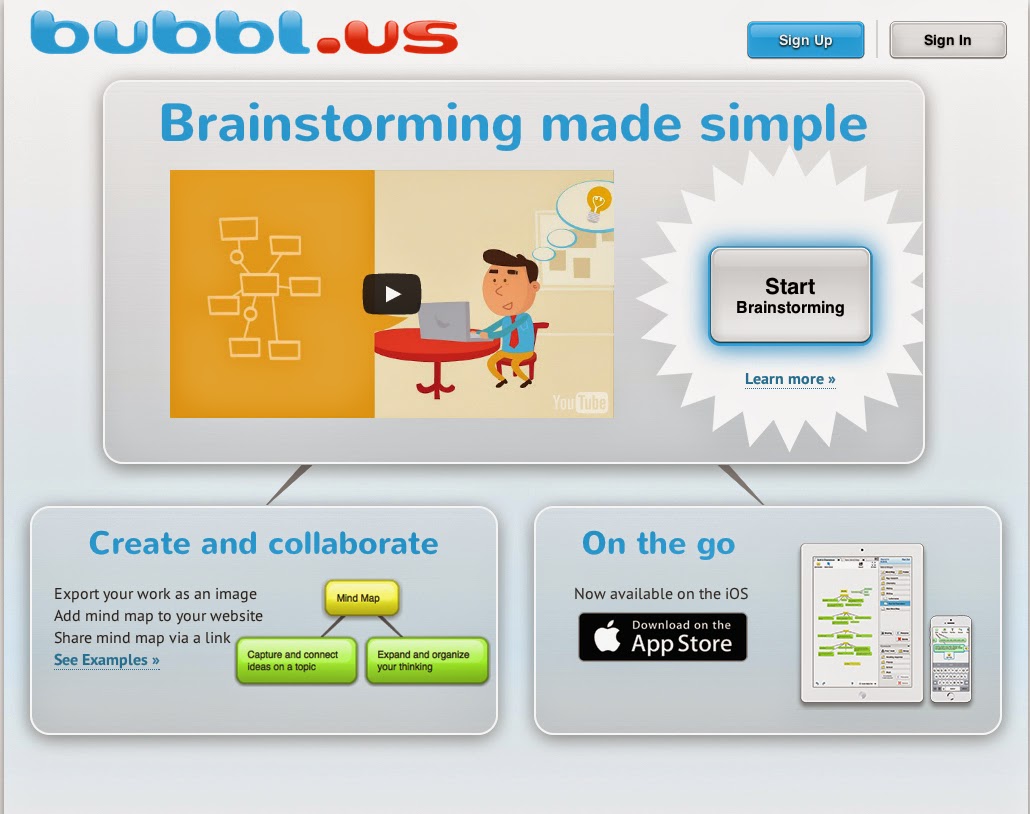
6. bubbl.us - Free mind mapping software. This is a Web 2.0 tool that enables users to create mind mapping and brainstorming diagrams online. To begin, the main topic/concept is entered in to the parent bubble. Then ideas and thoughts are recorded in colorful text bubbles linked to the parent bubble. Users continue to add text bubbles which are color coded according to hierarchy.


7. Powtoon - You don’t need to be a professional animator to get started with PowToon today!

We provide all the animation tools you’ll ever need to immediately begin creating your own professional-looking animated explainer videos and animated presentations. From start to finish, you’ll be guided through a surprisingly simple process, resulting in eye-catching videos that will hook your audience without fail.

Or try any one of these free internet applications:

http://goanimate.com

http://www.voki.com

http://www.pixton.com

http://www.screencast-o-matic.com

https://www.surveymonkey.com

http://glogster.com


Wednesday, 25 February 2015

A2 Evaluation Questions 2, 3 & 4

Year 13 students…want to do well in evaluating your work? Read this post carefully….

Each of you must evaluate and reflect upon the creative process and your experience of it. You will evaluate your work electronically, this evaluation being guided by the set of key questions below. This evaluation may be done collectively for a group production or individually. Examples of suitable formats for the evaluation are:
  • A series of podcasts
  • DVD extras / Director’s Commentary
  • A separate blog or website
  • A Prezi
  • An annotated YouTube extract
  • Vox pops – Q3
  • Filmed Focus Group – Q3
  • Contact sheet with annotations / annotated poster

Here are the evaluation questions:

  1. In what ways does your media product use, develop or challenge forms and conventions of real media products? (AML)
  1. How effective is the combination of your main product and ancillary texts?
  1. What have you learned from your audience feedback? (Audience feedback via Test Screening in EAB01)
  1. How did you use media technologies in the construction and research, planning and evaluation stages? (All with MFG.)

In all cases, you are discouraged from seeing the evaluation as simply a written essay and the potential of the format chosen should be exploited through the use of images, audio, video and links to online resources.

Question 2

What to do? - DIRECTOR’S COMMENTARY – make a directors video which discusses the three products as a promotional package (marketing / advertising) On Final Cut make video cutting between three products with v/o -   an important piece to do well! you can record yourself also with v/o - use        split screen effects - lots of examples

Question 3

What to do? - TRAILER: run an Audience Test Screening with questions and feedback - take Photos of screening,  present new feedback in graphs (Excel/Surveymonkey) perhaps? Facebook group + reviews (screen-grab images)

POSTER and MAGAZINE: Video focus group audience feedback on poster with poster in shot, Vox pops for the magazine front cover.

Finale: Presentation of audience research and findings to audience (teacher?) and video.

Question 4

What to do? FOR ALL THREE TASKS: produce images of all technology used and make notes (this includes blogger/ Youtube / software and hardware. FOR TRAILER: Youtube tagging of trailer to explain effects / choices. FOR POSTER/ MAGAZINE: make Flickr pages for tagging the poster and magazine cover or create a Photoshop image with tags.

Exemplar evaluations:

http://continentalpictures.blogspot.co.uk - from 2015 - (This evaluation got 14/20 - Level 3) and shows 'some proficiency as it tackles the questions in a variety of ways. some questions are more detailed but they show a clear understanding of the journey…Lacks level 4 understanding but uses a range of techniques to respond. Q1 uses vo video but would benefit from being tighter and less rambling - better to have scripted?

http://steeldeathproductions.blogspot.co.uk - from 2015 (This evaluation got 16/20 - Low level 4)
Largely in depth responses and a range of ICT used creatively. Q3 & 2 are the weakest. Powtoon does not lend itself to answering in detail or with much exploration of issues or subtlety. Writing in uppercase in animo to is not excellent use of ICT as it's difficult to read.

http://starproductions957.blogspot.co.uk - from 2015 - (This evaluation got 17/20 - Level 4)
Although they used a range of technologies the responses lacked depth for marks further into level 4 - Q3 was the weakest of the four.

http://hallge.wordpress.com/ - from 2013 - (15/20 - High Level 3) 
Generally a proficient with some questions being answered in more detail than others. Clear engagement with technology and sufficient evidence of reflective evaluative skills evident here. Response four tends to be quite text heavy especially considering the expectation of the response to be centred around the use of technology.


This is an excellent evaluation, rich in a variety of technologies all handled well with detailed responses across all four questions. The combination of text, image and Prezi on Q.1 sets the scene and the professional tone of the director’s commentary to Q.2 is a plus.  They clarify an excellent understanding of the forms and conventions and the synergy between products. The questions are all fully answered and for each product. There is a range of technology at work along with those already mentioned: a Slideshare presentation, Vox Pops, Flickr image, Facebook page, Survey Monkey is used for qualitative and quantitative audience feedback. The final Q might have had more conceptual and analytical evaluation but generally a confident top band response.


Here there is clearly excellent evaluation. In comparison to the OCR moderation blog (E.T) achieving the same mark, there is more conceptual and analytical evaluation in all 4 questions. This reflects an excellent understanding of the forms and conventions, the synergy between products and their uniqueness; the significance of all feedback and use of new media. The questions are fully answered and for each product. There is a range of technology at work: an art of the title grid, connections with real media products, Youtube tagging, Flickr pages annotated, two prezis, social networking for feedback, qualitative and quantative audience feedback - surveys, vox-pops, interviews; a director's commentary edited to compare aspects of all three texts, image montage. The communication is excellent. The communciation might have had more 'image gimmicks' but the ICT and visuals enhance the evaluation and therefore there is skill in the choice of form.

And here is a link to comments from the Chief Examiner also from 2011… - on what makes a good evaluation.